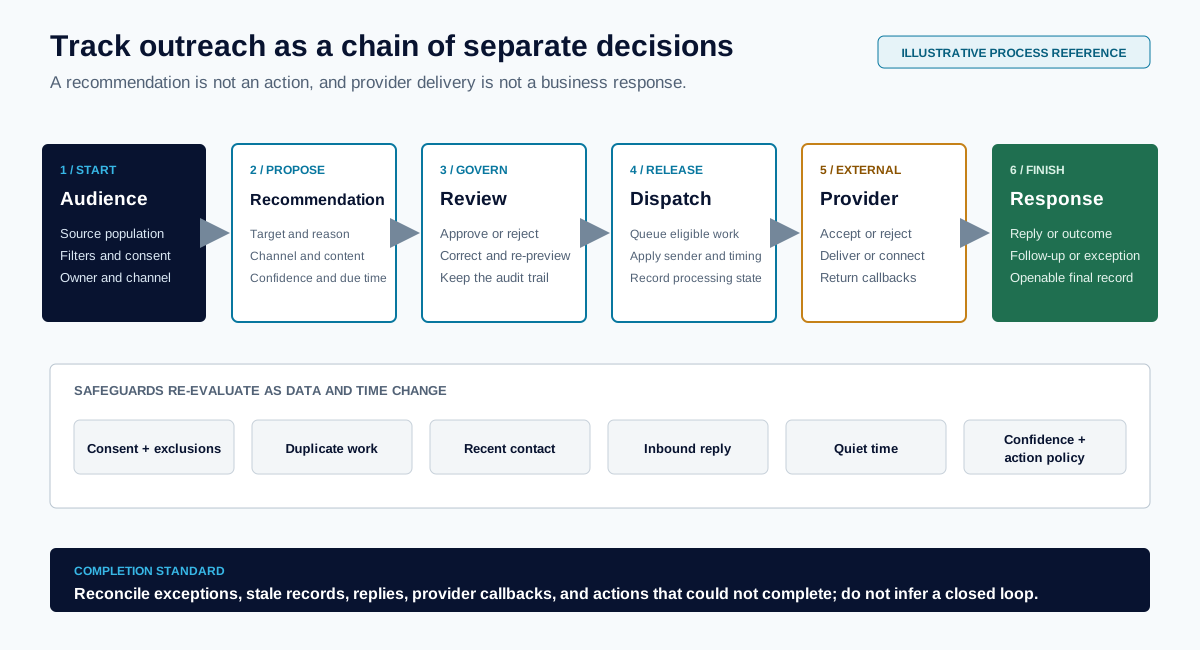
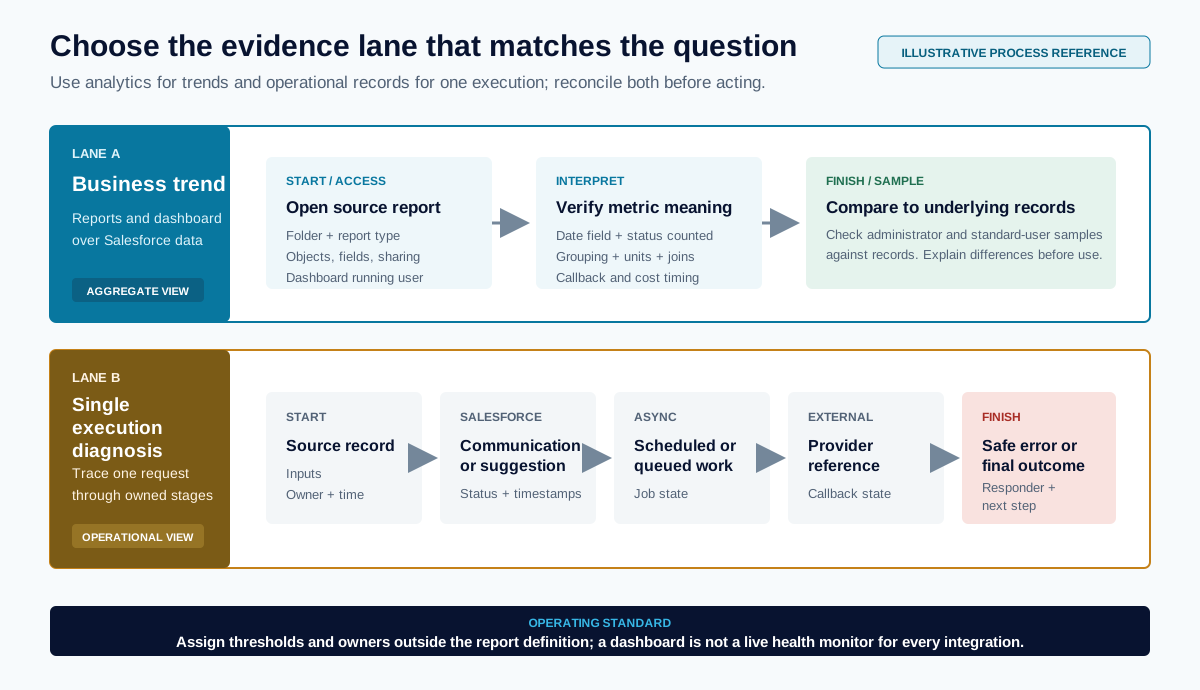
RAIN OS is a Salesforce-native foundation for agents, communications, phone and voice, outreach, recommendations, and operational AI. It can be installed and used independently. RAIN Intelligence is an optional add-on that extends reasoning, retrieval, tools, artifacts, and hosted workspaces.
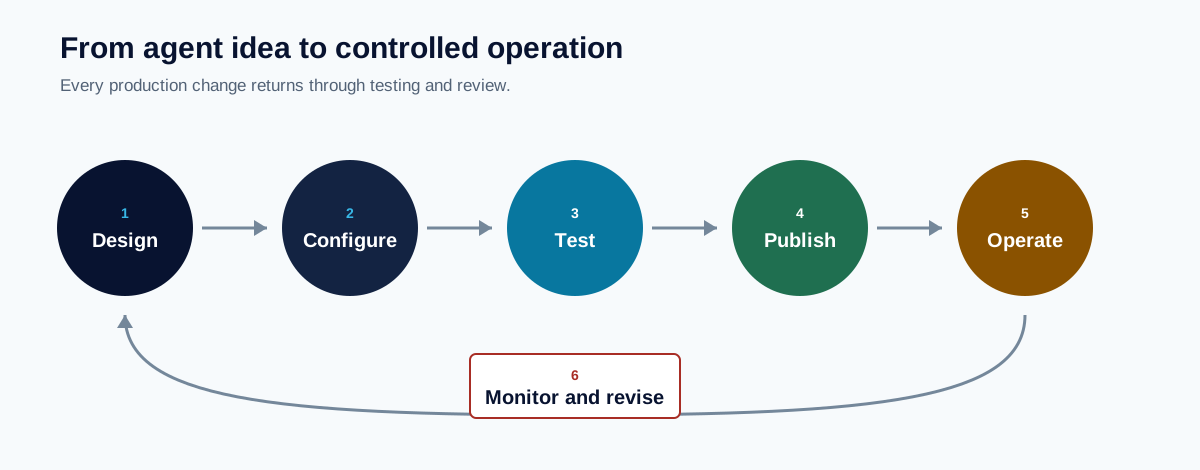
The operating lifecycle is to configure a bounded use case, test it, publish deliberately, monitor outcomes, and revise through a new version.
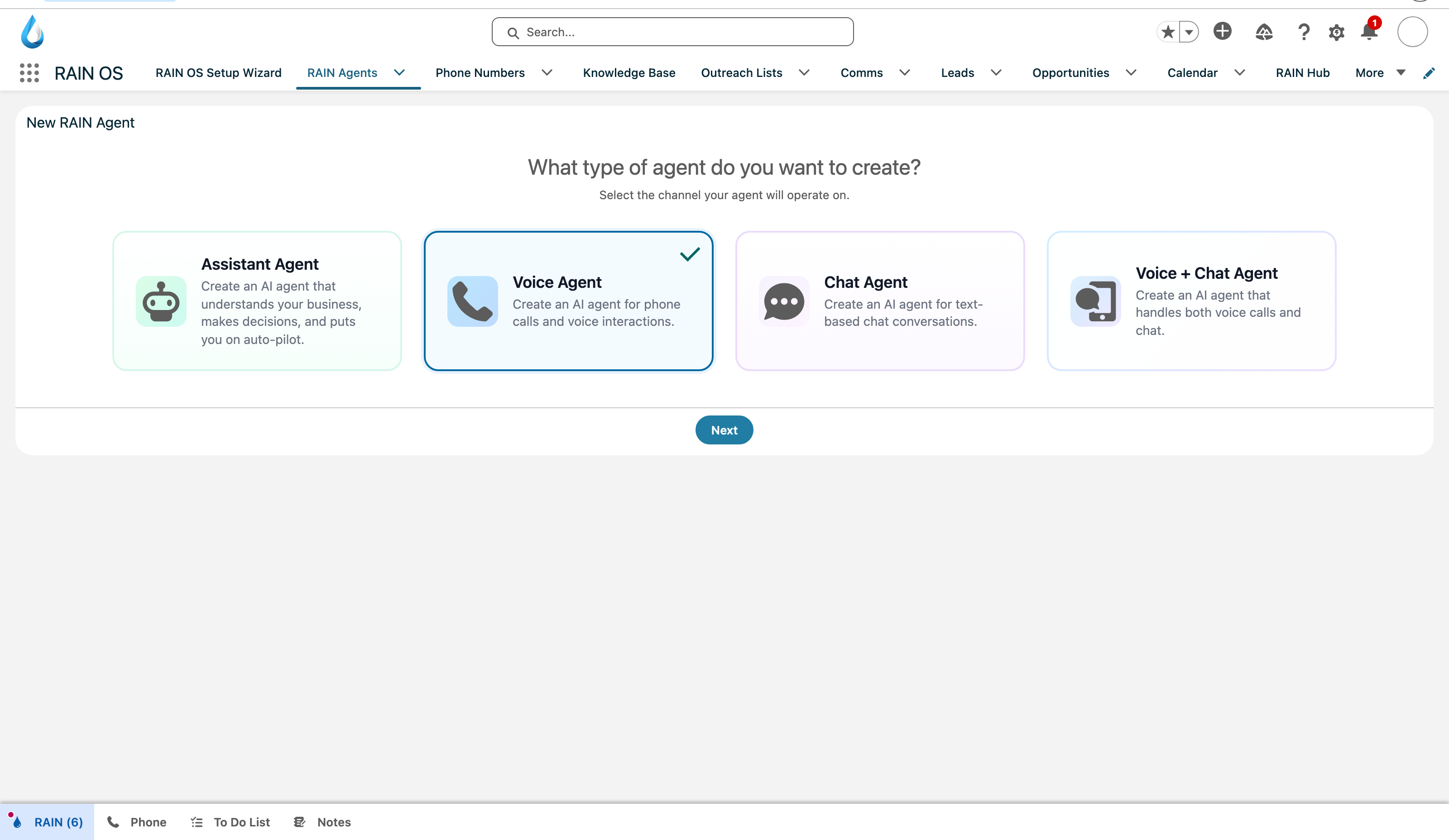
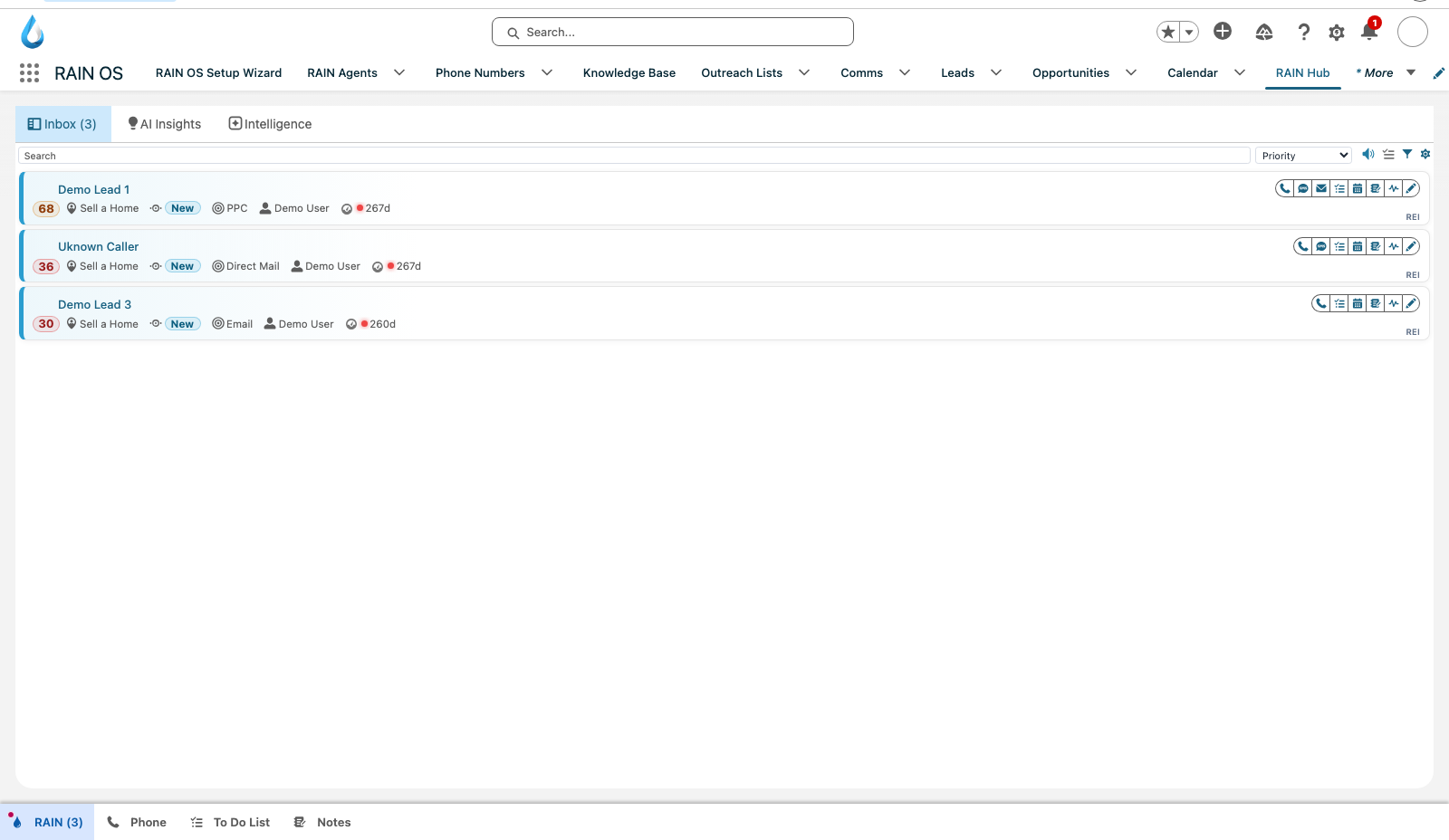
The Salesforce app navigation exposes Setup Wizard, RAIN Agents, Phone Numbers, Knowledge Base, Outreach Lists, Communications, business records, and RAIN Hub. The selected page is the safe first step of agent creation.
Choose a learning path
| I need to... | Start here |
|---|---|
| Install or upgrade the package | Install, upgrade, and initialize RAIN OS |
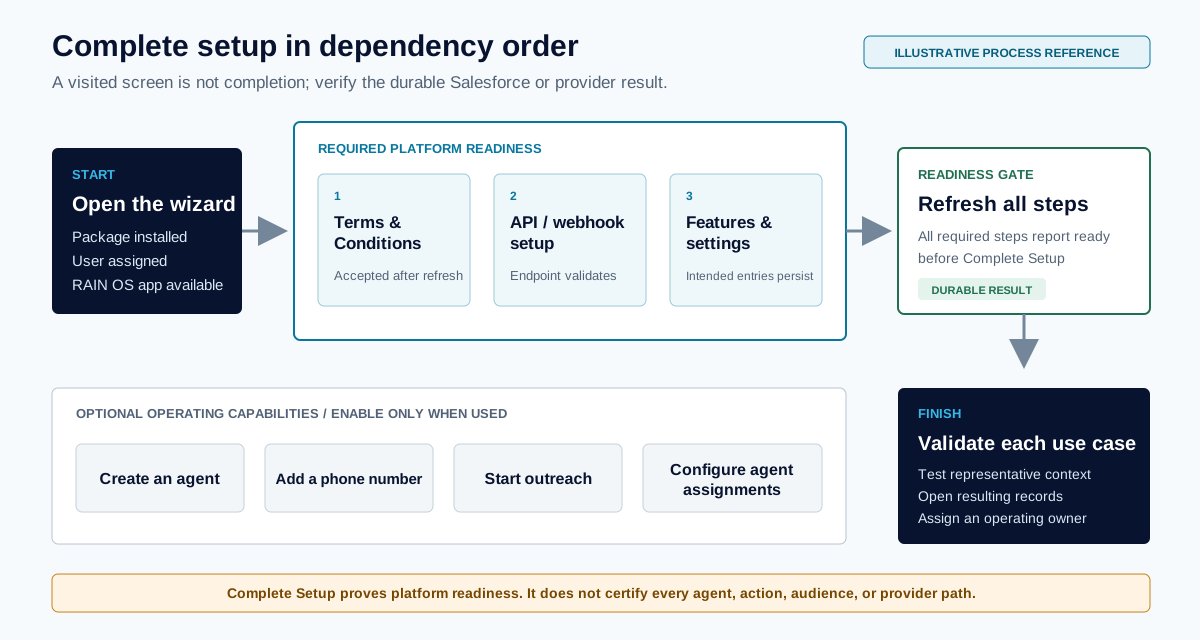
| Complete org setup | Setup Wizard and launch readiness |
| Work daily recommendations | RAIN Hub, Inbox, and daily operations |
| Select an agent | Agent types and use cases |
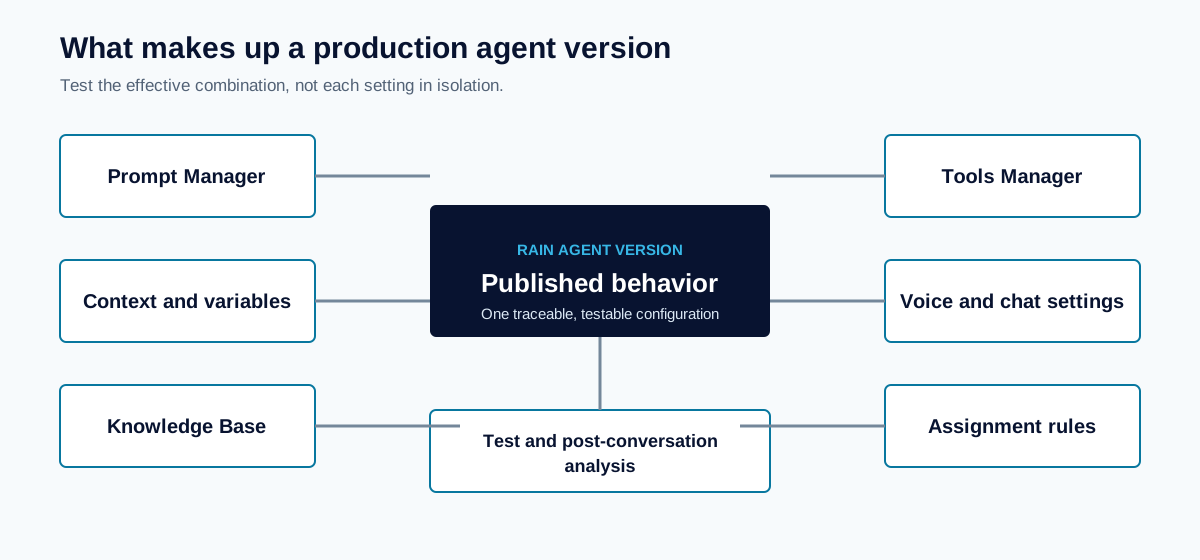
| Write or improve instructions | Prompt Manager and Prompt Assistant |
| Map Salesforce data | Context, variables, and object mapping |
| Add knowledge and actions | Agent tools, knowledge, and actions |
| Test a voice or coach experience | Test Environment and release validation |
| Publish a version | Agents, versions, and publishing |
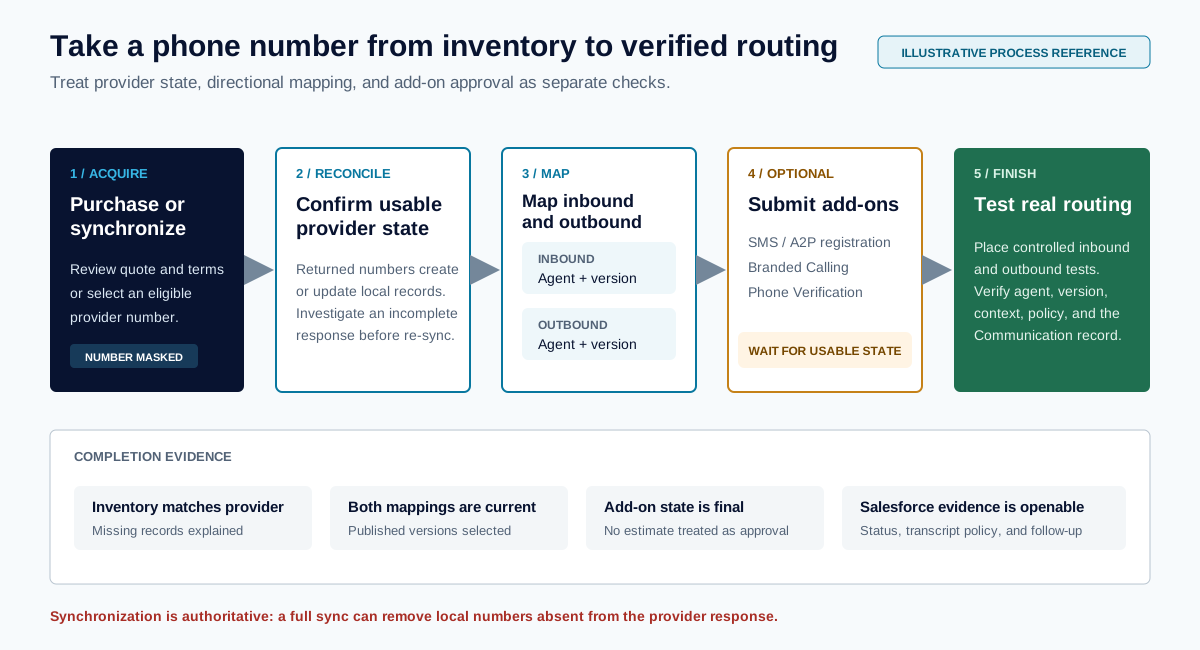
| Acquire numbers or add-ons | Phone numbers and add-ons |
| Configure call or chat behavior | Voice, call, and chat settings |
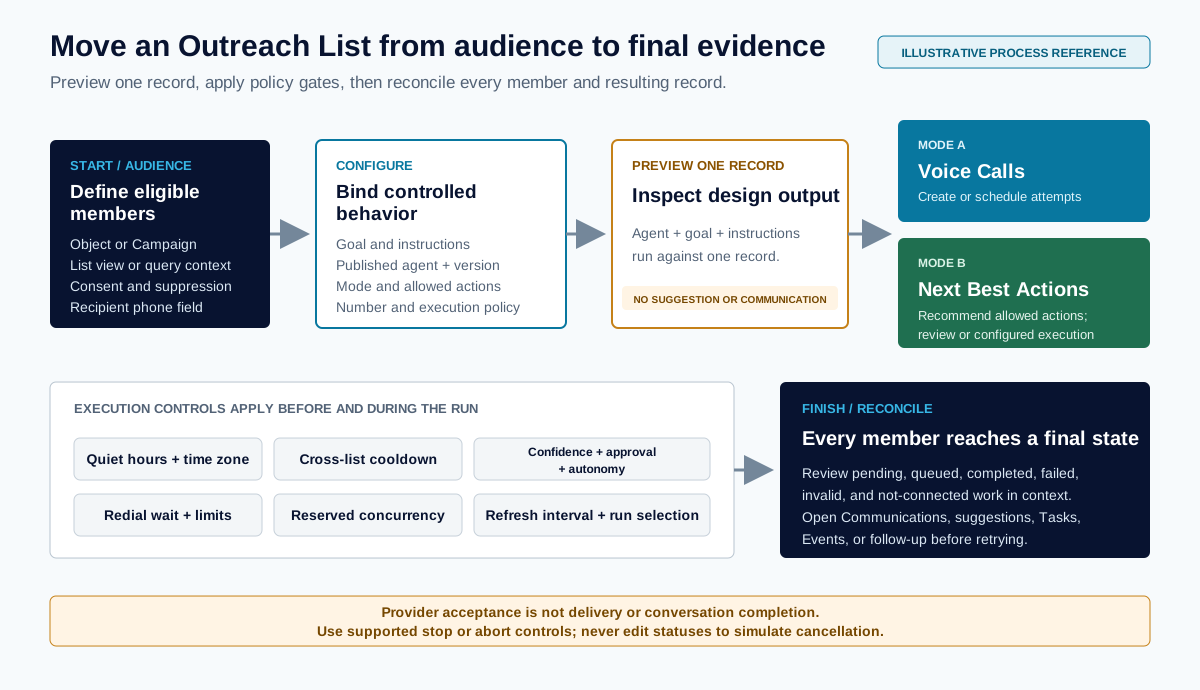
| Run outreach or NBAs | Outreach Lists and next-best actions |
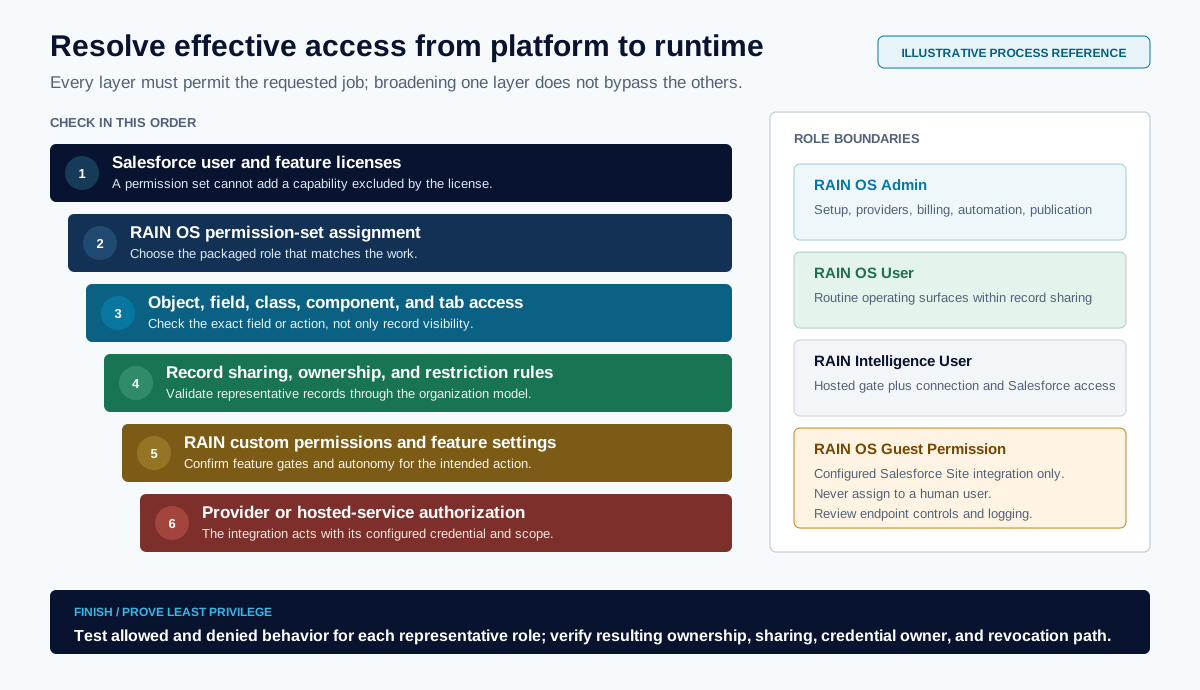
| Route records to an agent | Agent assignment rules |
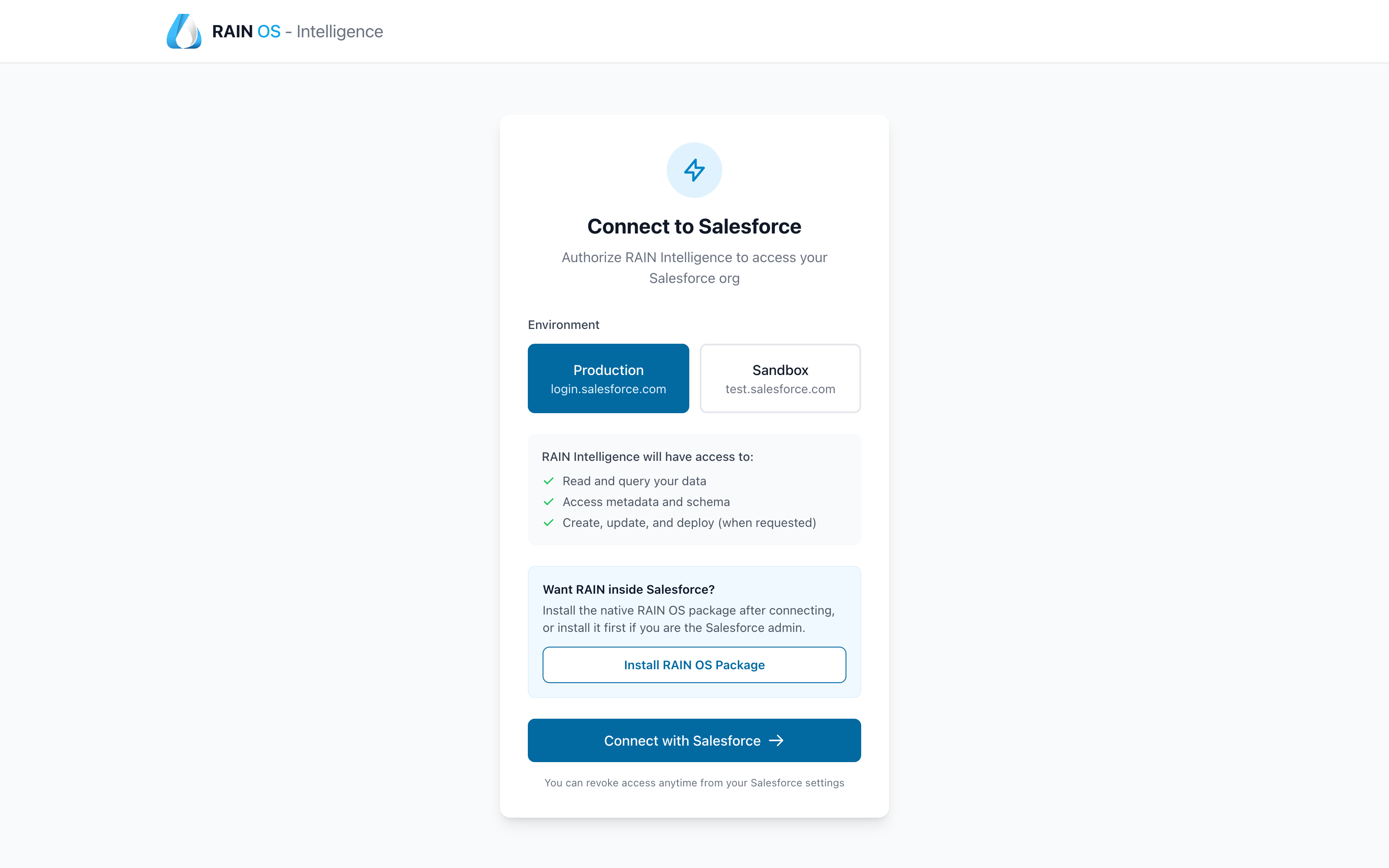
| Connect Intelligence | RAIN Intelligence compatibility |
| Diagnose a problem | Operations and troubleshooting |
Use one operating pattern
- Define the business outcome, audience, authorized data, allowed actions, and human owner.
- Configure the smallest agent and channel that can accomplish the job.
- Add only necessary context, knowledge, variables, and tools.
- Test normal, incomplete, restricted, and failure cases.
- Publish a traceable version and release it to a controlled audience.
- Monitor Salesforce records and provider results separately.
- Expand only after completion and recovery behavior are reliable.
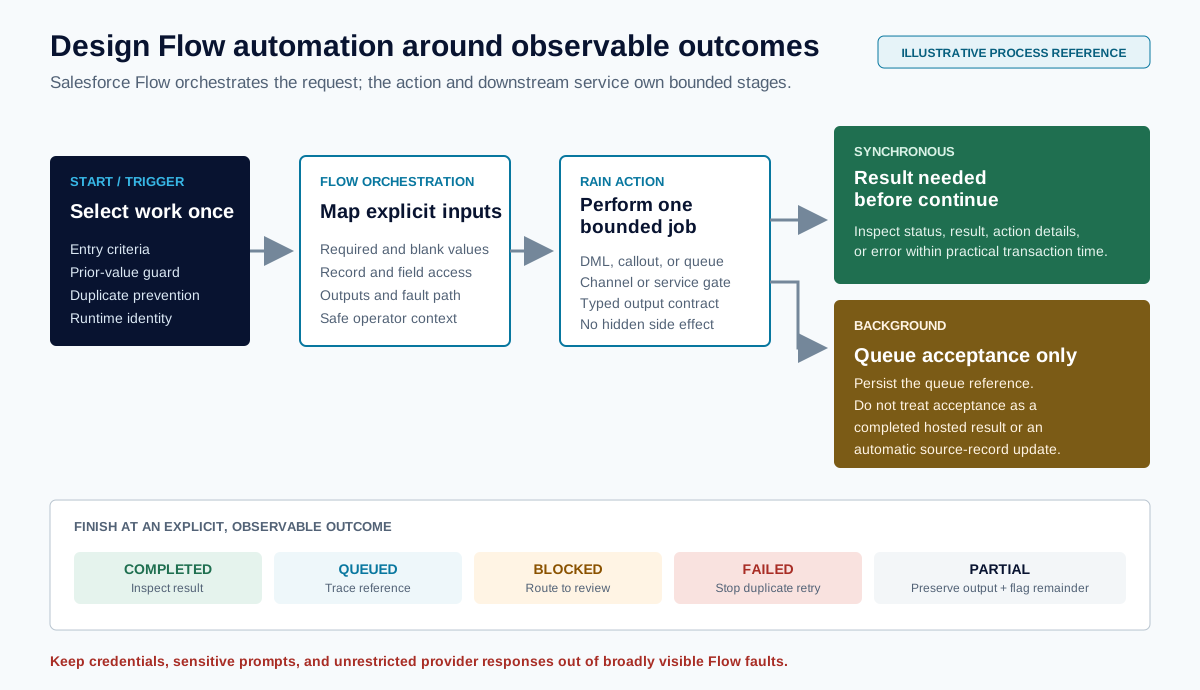
AI output, provider acceptance, and a successful Salesforce save are different stages. Verify the authoritative record and final provider status before treating work as complete.